> ## Documentation Index
> Fetch the complete documentation index at: https://docs.adoptclarity.com/llms.txt
> Use this file to discover all available pages before exploring further.
# 3. Setup Call Types
> Organize conversations by call type.
## Why Call Types
Clarity is a platform to capture all of your team's conversations. Your team has many different types of conversations that require different analysis and automation.
Clarity provides call types so that you can organize your team's conversations and specify automation, insight extraction, and more at the call type level. Think of these as Slack channels.
## Determine your Call Types
Every team is different. Take a moment to create the call types that your organization will use.
Here are call types we recommend:
* \#sales-discovery
* \#sales-onboarding
* \#customer-support
* \#uxr
* \#standup
* \#planning
* \#fundraising
* \#recruiting-eng
## Create Call Types
Calls types are created, editing, and managed on the left sidebar in the Clarity application.
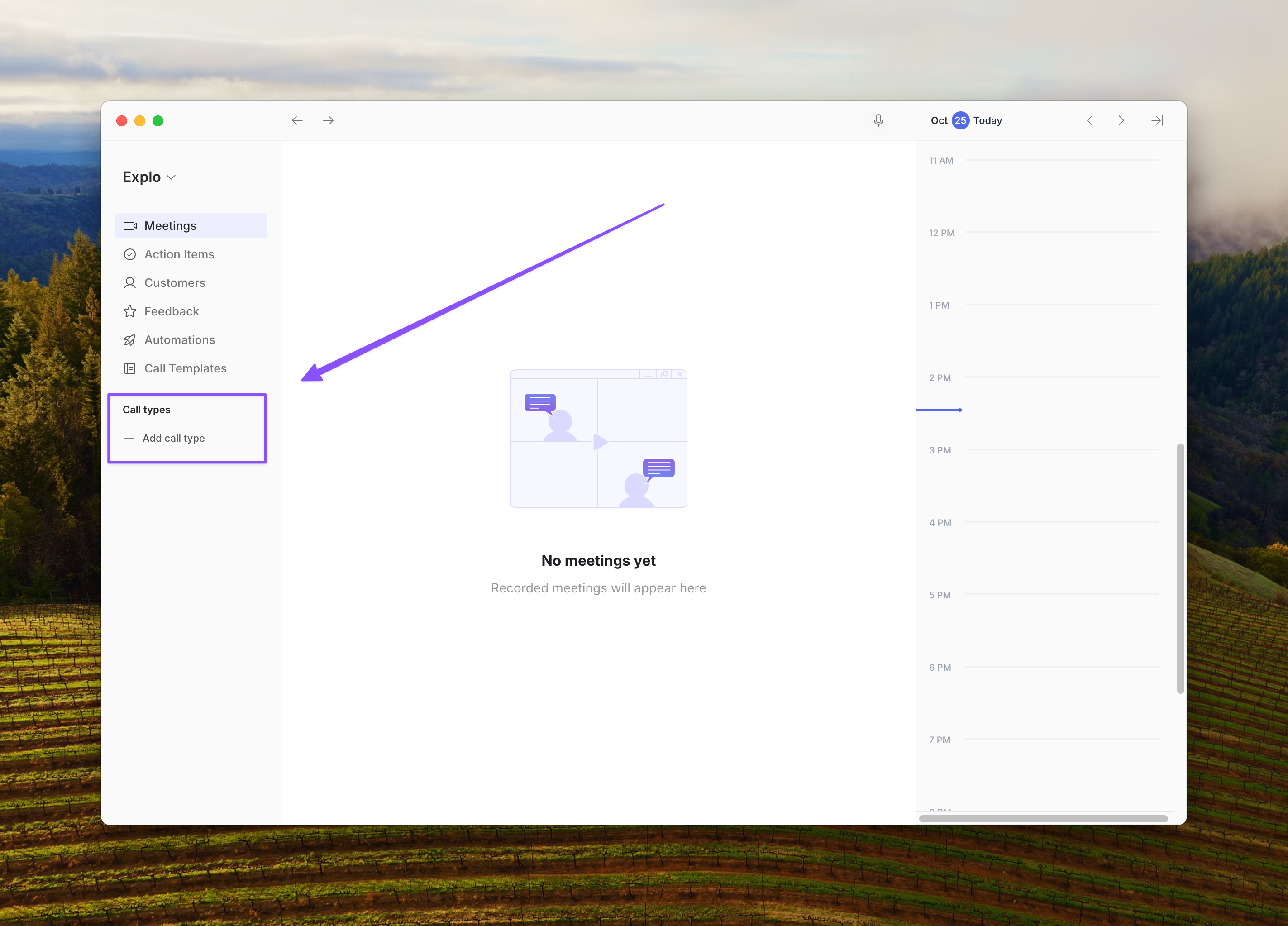 Click here to view more in-depth documentation on how to create, manager, and configure call types in Clarity.